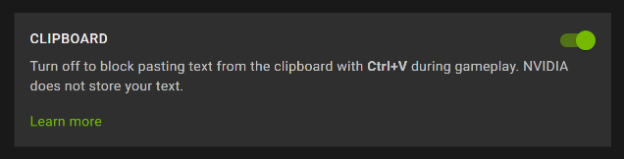
If you are running v2.0.41 app or later, you will have the ability to copy text from your local device and then paste it while in-stream on GeForce NOW, for example by pressing Ctrl+V or mouse right-click . Note: Mac users must use Ctrl+V (not the traditional ⌘ Cmd+V). This feature is available on PC, Mac, and Web Browsers.
When using this feature, GeForce NOW uses standard Windows clipboard functionality to allow you to only paste into the GeForce NOW stream. GeForce NOW is not exposing the full clipboard functionality.
Here is a summary of the feature on GeForce NOW:
- We only support copy and pasting text.
- We do not save or cache your clipboard data between game sessions.
- We do not store the history of your clipboard.
- There is no option to clear your clipboard history since we do not save your history.
- Your clipboard data is not synced to GeForce NOW or other PCs.
All members have the option to disable the feature from GeForce NOW > Settings.